Occlusion cards
at the speed
of med school.
Import your lecture slides, screenshot them, draw boxes, and export a ready-to-study Anki deck in minutes.
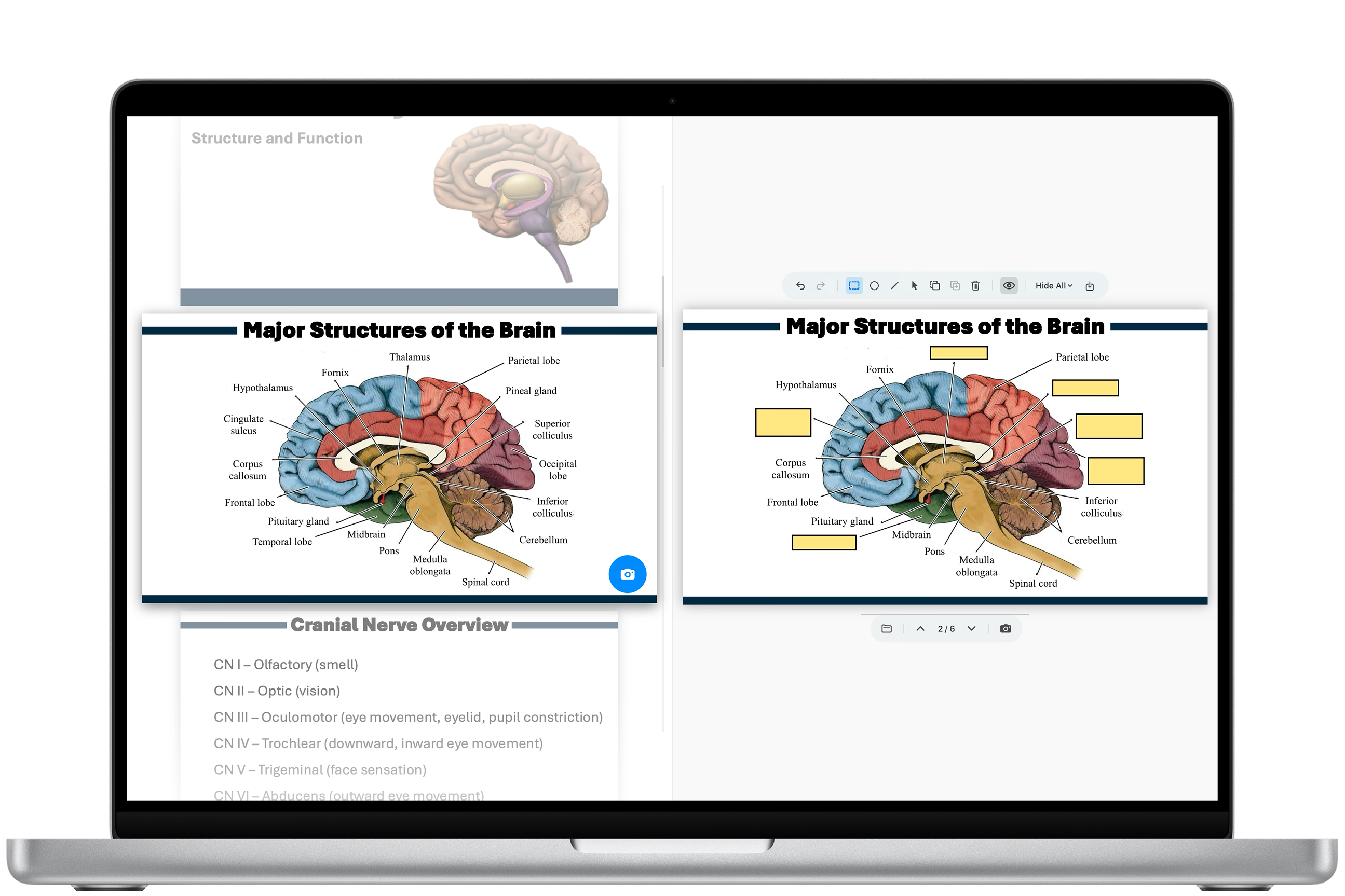
From lecture to deck in minutes.
Everything you need.
Nothing you don't.
Built for students who want to save time when making Anki cards.
All your favorite image occlusion tools in one place, refined to work at the speed you need.

Edit your cards directly in the queue, making it easy to update and improve your deck.
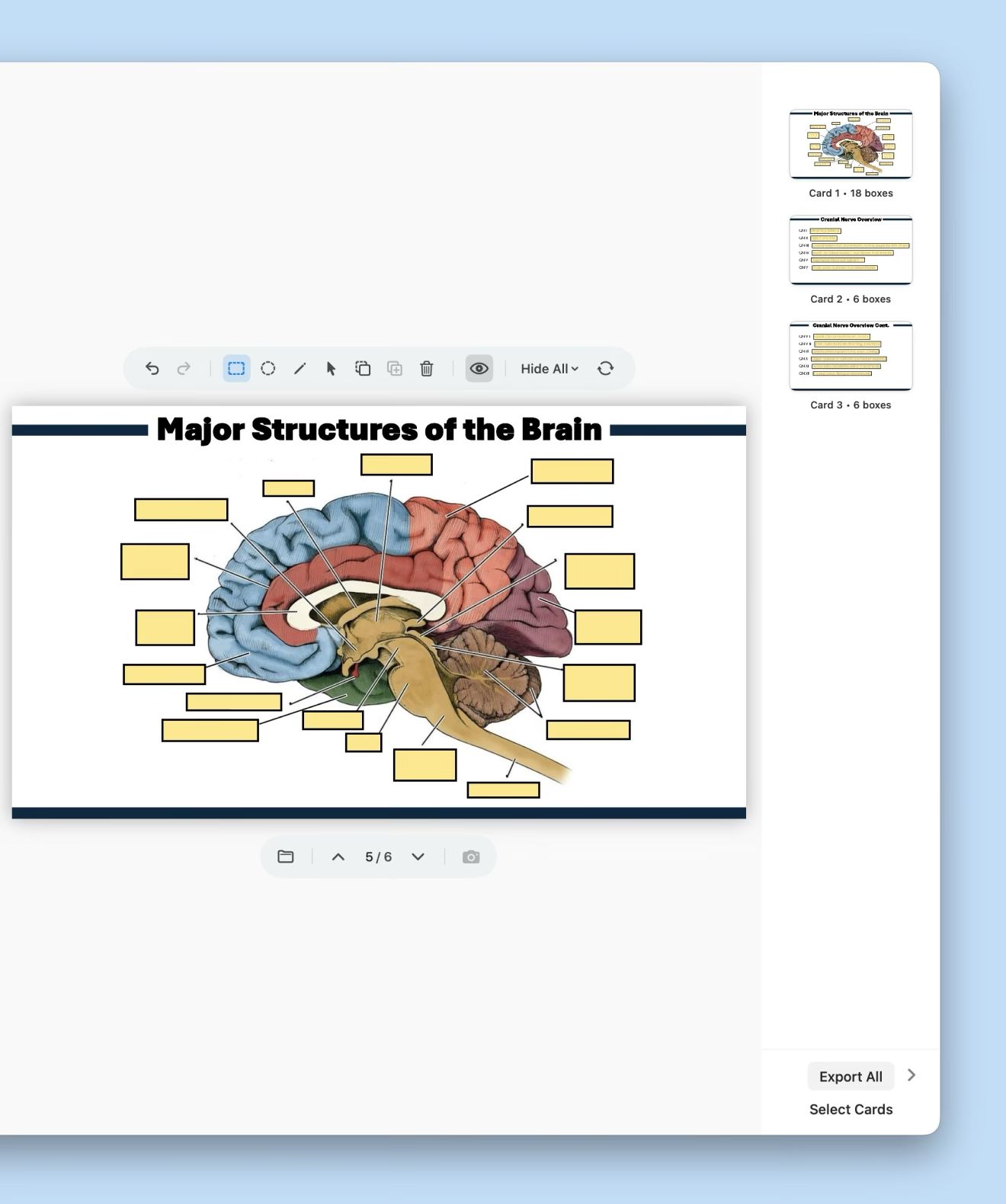
Create image occlusion cards within a native macOS environment that easily integrates with the Anki app for studying.
Glide across your keys.
Core actions in Suru can be keyboard-driven. The faster you work, the more cards you make — and the sooner you can get back to actually studying.
cards in Anki directly*
Start making cards efficiently.
No account required.
Download SurumacOS 14 Sonoma or later · Apple Silicon & Intel
macOS and App Store are registered trademarks of Apple Inc.
Anki is a registered trademark of Ankitects.